


Description
Your Epson SX printer isn’t dead—it’s just playing by Epson’s rules.
When it flashes red lights and refuses to print, this resetter steps in and flips the switch back.
No repair shop. No delays. Just results.
What This Tool Does
This resetter clears the internal waste ink counter responsible for the “Service Required” error, restoring your printer to full working condition within minutes.
Supported Epson SX Models
This tool supports a wide range of Epson SX series printers, which are:
- Epson SX-100
- Epson SX-105
- Epson SX-106
- Epson SX-110
- Epson SX-111
- Epson SX-210
- Epson SX-215
- Epson SX-218
- Epson SX-230
- Epson SX-235
- Epson SX-235W
- Epson SX-400
- Epson SX-405
- Epson SX-410
- Epson SX-415
- Epson SX-420
- Epson SX-425
- Epson SX-430
- Epson SX-438
- Epson SX-445
- Epson SX-510W
- Epson SX-525
- Epson SX-600
- Epson SX-610
- Epson SX-620
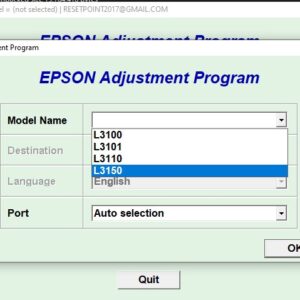
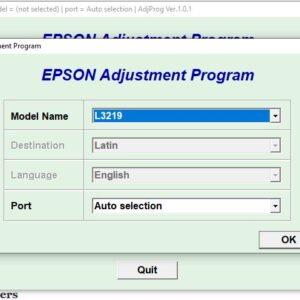
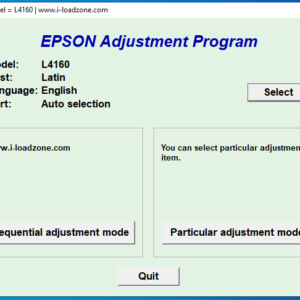
⚠️ Important: This resetter only works for models shown in the product images. Always confirm your exact model before use.
Key Features
- ✅ Resets waste ink pad counter instantly
- ✅ Fixes red light blinking errors
- ✅ Simple and beginner-friendly
- ✅ No internet required after download
- ✅ Fast, one-click reset process
How It Works
- Download the resetter after purchase
- Extract using the password p
- Open the adjustment program
- Select your Epson SX model
- Click Reset / Initialize and restart your printer
And just like that—back in business.
Why This Matters
Epson builds in a limit. Your printer hits it and stops—even if everything else is fine.
This tool removes that artificial ceiling and saves you from paying for something you don’t actually need.
Important Notes
- ⚠️ Works only for supported SX models
- ⚠️ Antivirus may flag the file—temporarily disable if needed
- ⚠️ Use USB connection for best success
Instant Download
Access your file immediately after purchase and fix your printer today.

Reviews
There are no reviews yet.